

Approving QA on a CivilPro project?
If a contractor has invited you to approve Hold Points, sign off NCRs, or review conformance records, your Client access is free. Here's what you're being asked to do, and how to do it.





Your introduction, in one video
A full run-through for Administrators, Superintendents and Client Representatives: how requests reach you, how to respond, NCRs, and what you receive at handover.
Prefer to read it? The written guide, with jump-to sections →
What you're being asked to action
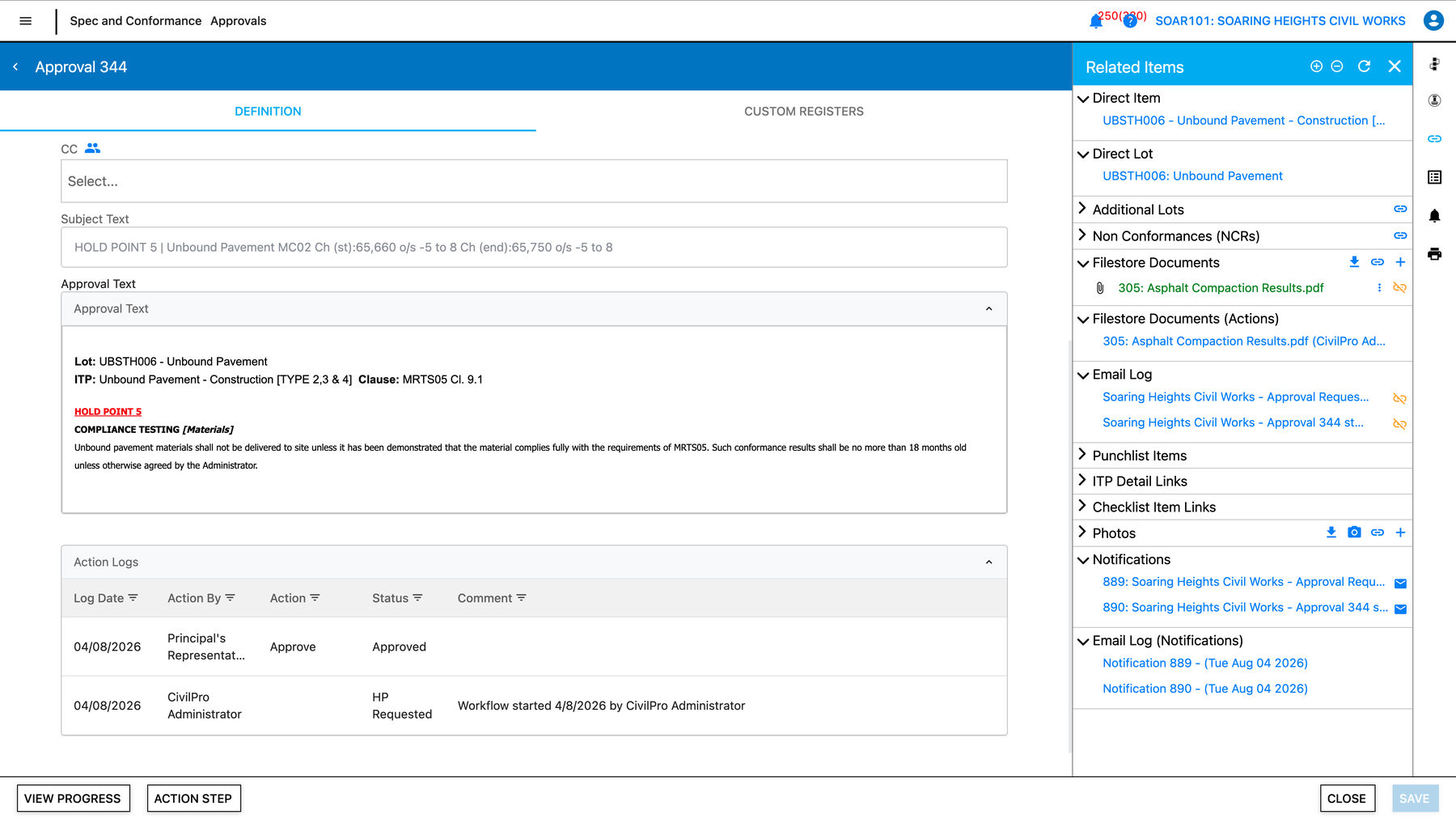
Hold Point approval
The contractor can't proceed past this point without your release. You review the linked records, then approve or reject — the workflow log keeps the full trail.
How to approve a Hold Point →Witness Point notification
You're being notified of an activity you may elect to witness. Acknowledge in-app; attendance is at your discretion.
How Witness Points work →NCR sign-off
A non-conformance has been raised and remediated. You review the closure evidence and sign off the NCR against the Lot.
How to close out an NCR →Lot Conformance Report review
The compiled QA evidence for a Lot — checklists, tests, photos, sign-offs — bundled into one report for your review or records.
Understanding Lot Conformance Reports →Review and approve from anywhere
Approvals land in your queue with the evidence attached. Review on any device, approve or respond, and the contractor is notified instantly — with every action logged against the Lot.
Quick answers
Will I be charged?
Can I delegate approvals to my Inspector?
Where do I find an approval I actioned last month?
How does this relate to my obligations under the contract?
Who do I contact if I'm stuck?
Step-by-step guides in the Help Centre
Procedures for every Client-side action, on web and desktop.
Open the Help Centre ↗