

Training that doesn't end at the session.
Built around your own ITPs, Lot numbering and drawings, and run by engineers who have worked on site. Recorded, then filed back into your Training Project so new starters can work through it themselves.
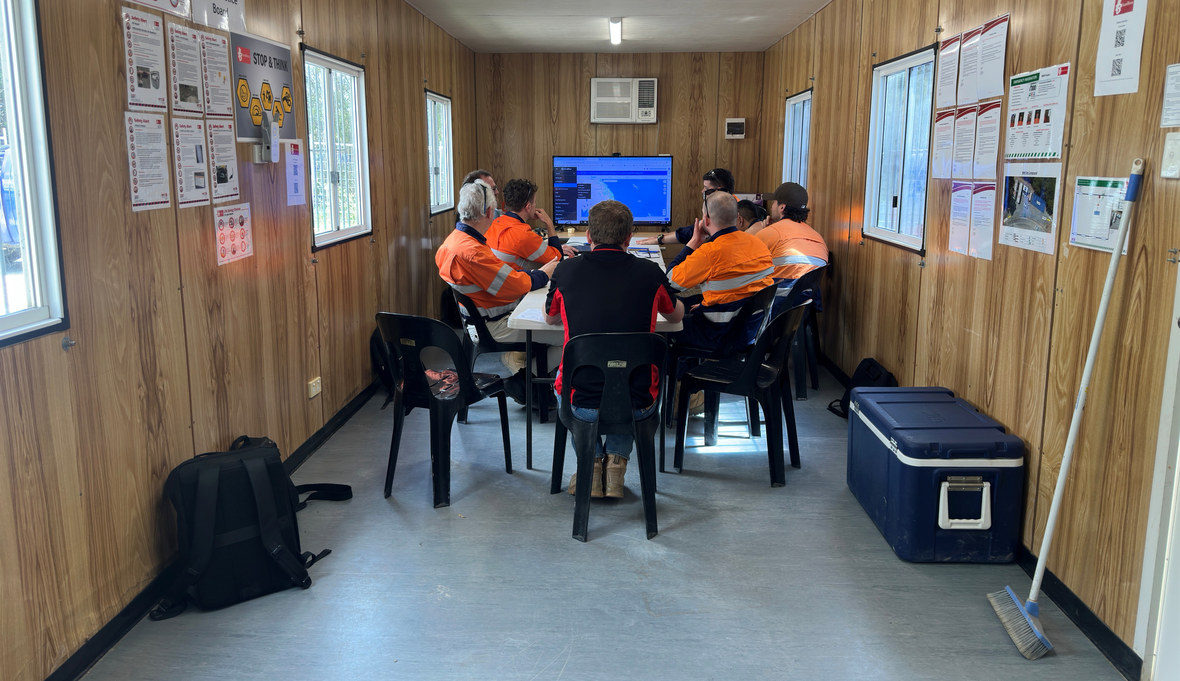
Run by Engineers
The person walking your team through their first Hold Point release has run projects. Chainage, Lot conformance and spec clauses need no translation, and questions about how the work should run get answered rather than deferred.
Sessions are delivered by chartered civil engineers with industry experience setting up and running QA on live civil projects – the same people who configure your system and pick up the phone afterwards.
How it works
An agenda you mark up
We send an extensive agenda covering the full platform. You mark what matters to your team, strike what does not apply, and defer what should wait for a later session.
The sessions are then built from what comes back, so the time goes on your work rather than a feature tour.
A Training Project built for you
Set up on your own ITPs, Lot numbering and drawings, inside your own database.
Your team learns on work they recognise, and the project stays there afterwards as somewhere safe to practise.
The session, delivered and recorded
Time on how Lot-based QA fits together, then hands-on in CivilPro with your team driving.
Recorded as it runs, which is where the rest of this page starts.
What gets covered
Sessions are built to what your team needs. Most cover QA, many cover both, and people often sit in on whichever session is useful to them.
QA
Usually Site Engineers, QA staff and Superintendents
- Creating Lots and generating Checklists from your ITPs
- Raising approvals, and seeing them from the approver's side
- Testing, non-conformances and Contract Notices
- Closing out a Lot and producing the conformance record
Cost and claims
Usually Project Managers and commercial staff
- Setting up the schedule and cost codes
- Capturing daily costs as the work happens
- Building Progress Claims off work already substantiated
- Forecasting cost to complete, and reading the position
Project and system setup is done with your administrators beforehand, so the room is not watching one person type.
The session ends. The training doesn't.
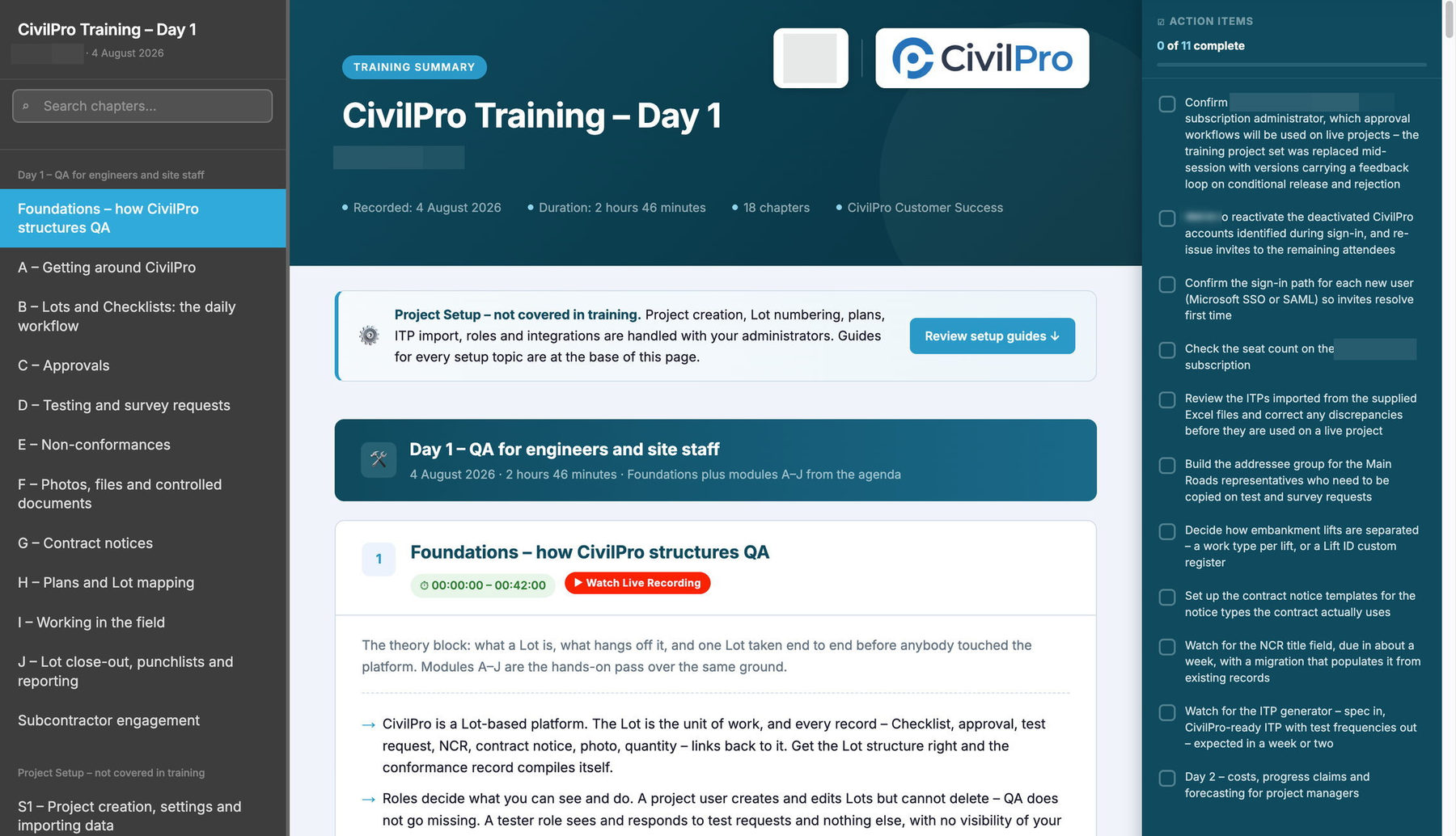
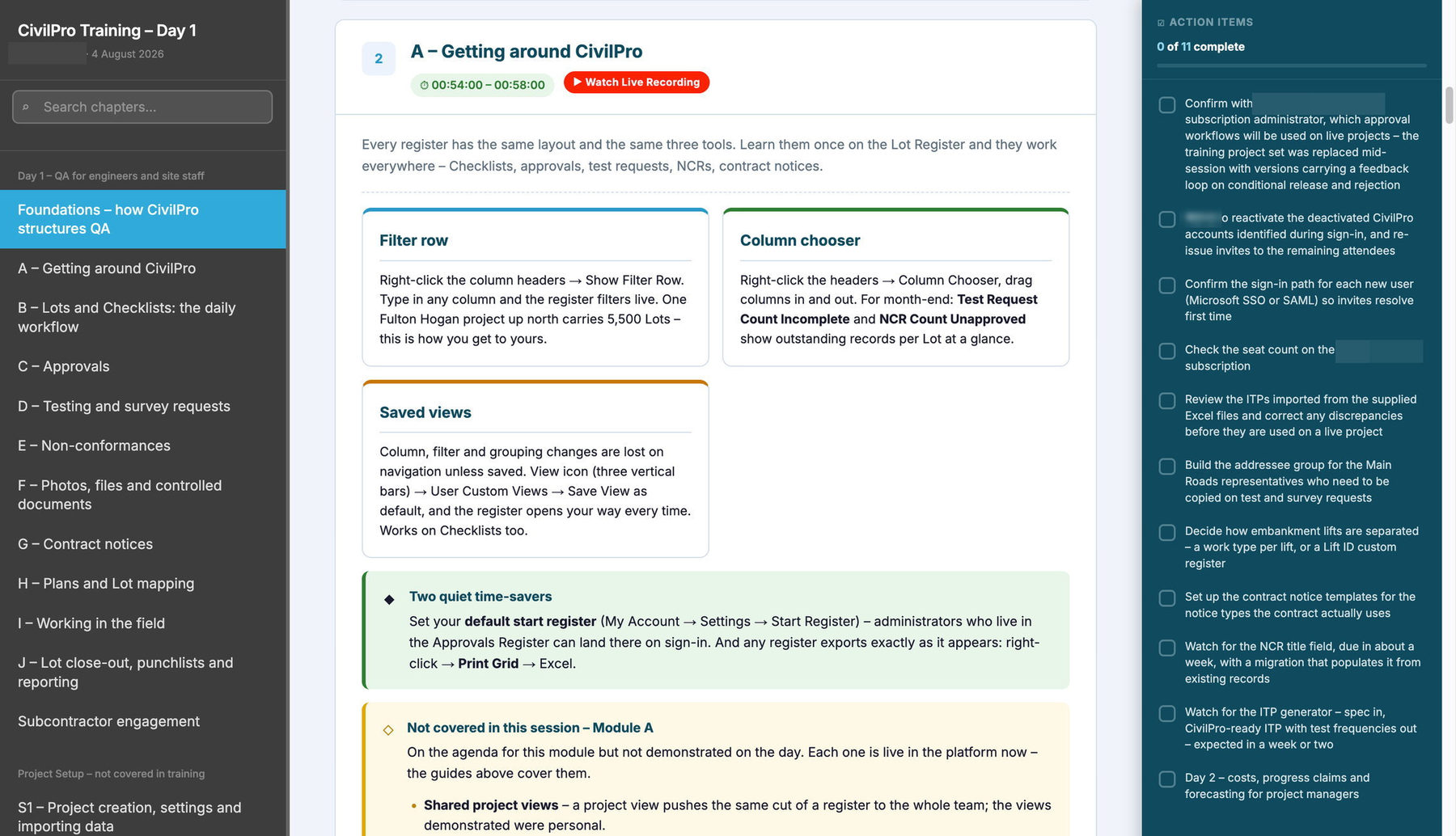
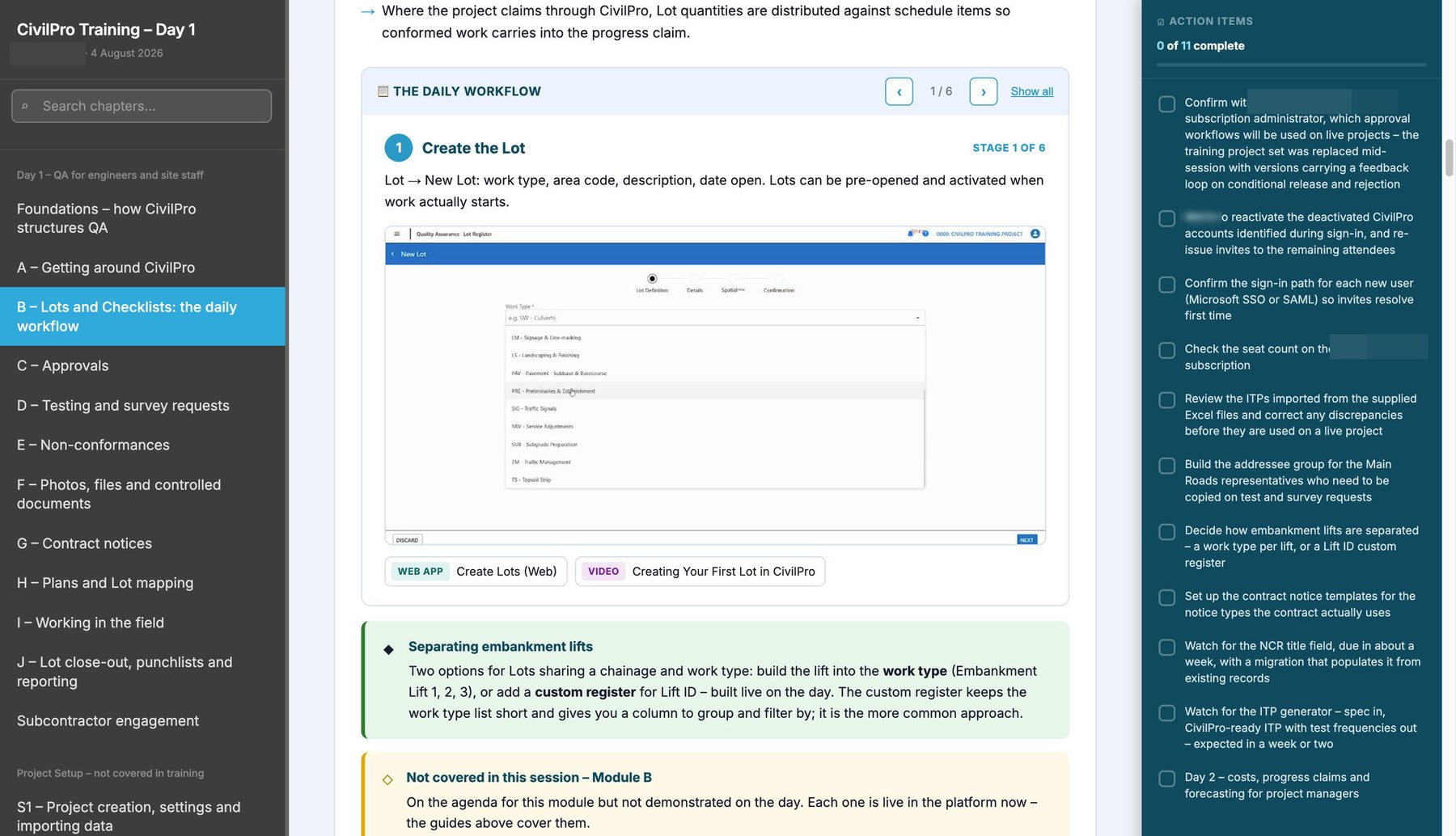
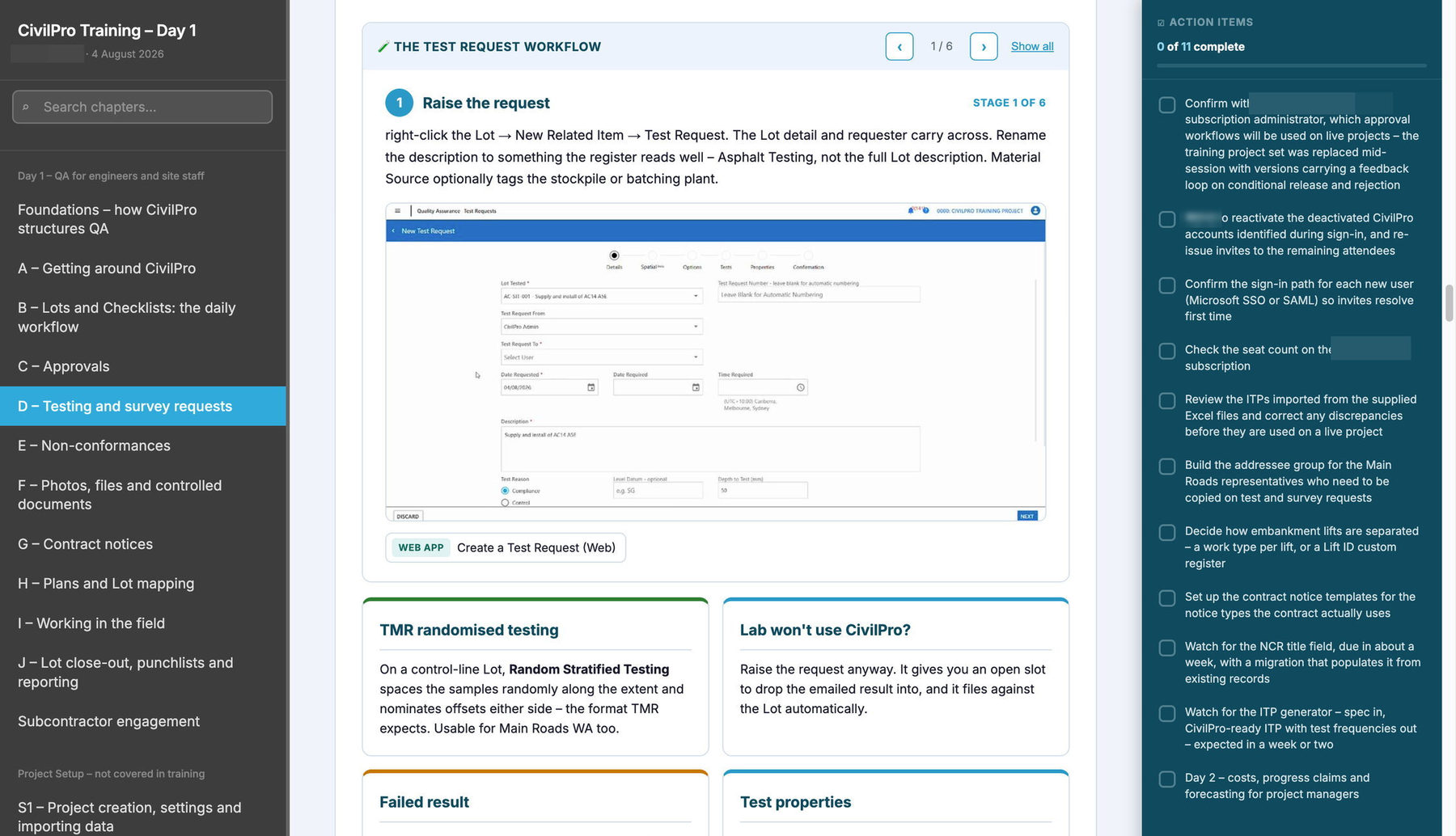
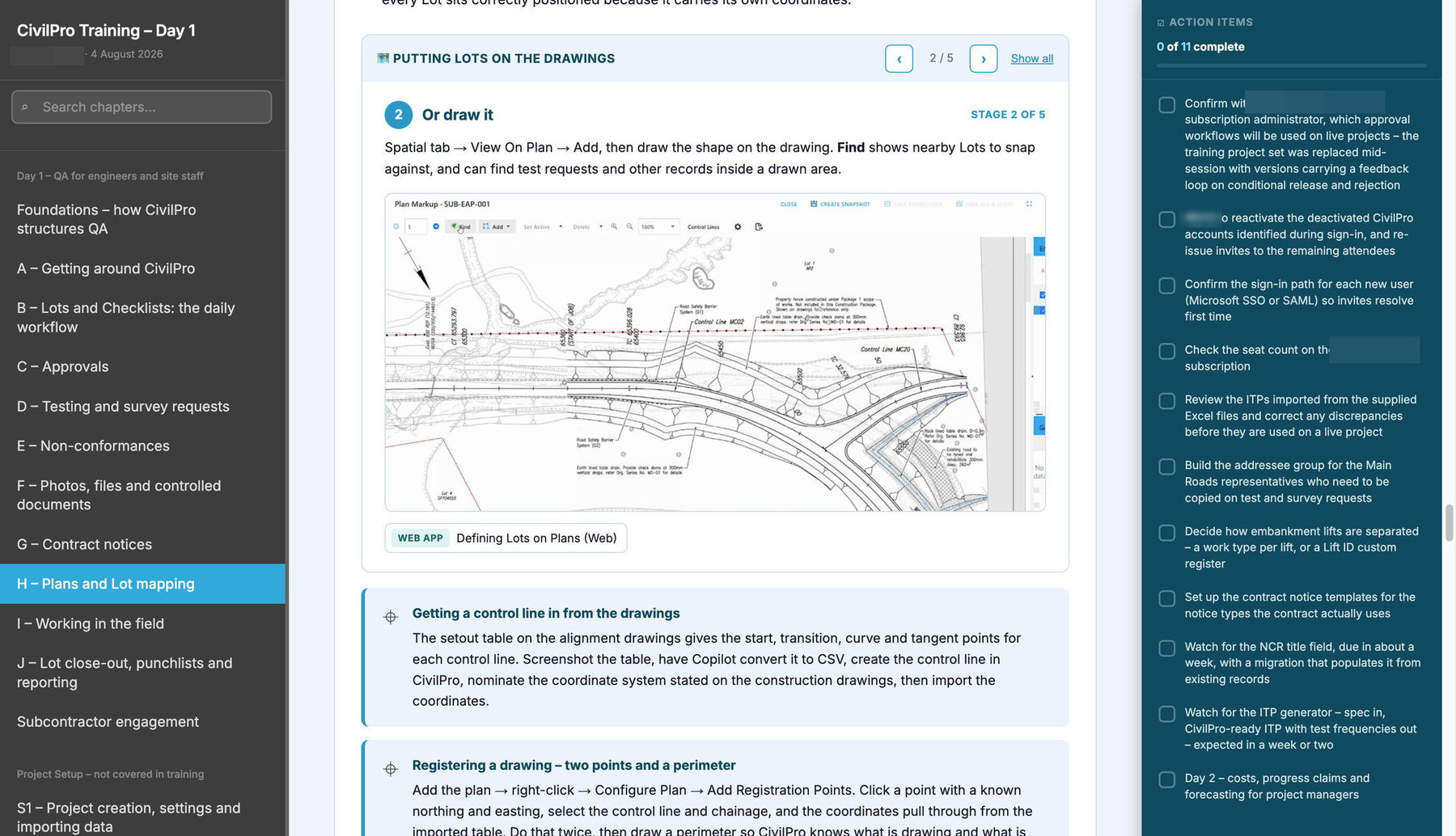
The recording is converted into an interactive training summary and dropped straight into your Training Project, where it becomes the onboarding and upskilling resource your team uses from then on.
An interactive summary
- Timestamps jump straight back to the moment a topic was covered
- Screenshots of the steps, so nobody has to scrub through video
- Every mechanic linked through to the matching Help Centre guide
- Searchable, with a Word version alongside for printing and marking up
- Filed as a Controlled Document, where your team already looks
Practice Checklists
- Each item is a task from the session, on a real Lot
- Hold Points route to CivilPro and come back answered as the Client
- Both sides of an approval seen before it matters on live work
- Final item signed off by your own QA lead, so you can see who finished
Self-paced from then on
- New starters work the same material without booking a session
- No senior person gives up an afternoon to repeat it
- Upskilling onto a new module uses that module's own session
- All of it in context, on your own project data
Train your Client in the same room
Superintendents and testing subcontractors are usually invited in cold, then asked to approve work nobody showed them how to read. They take no paid seat, and they do not need a session of their own.
- Your Site Engineers see exactly what the approver sees
- Your Client sees what evidence is attached, and where
- Format disagreements happen once, in a session
- Inspectors, testing subs and Client Representatives stay free
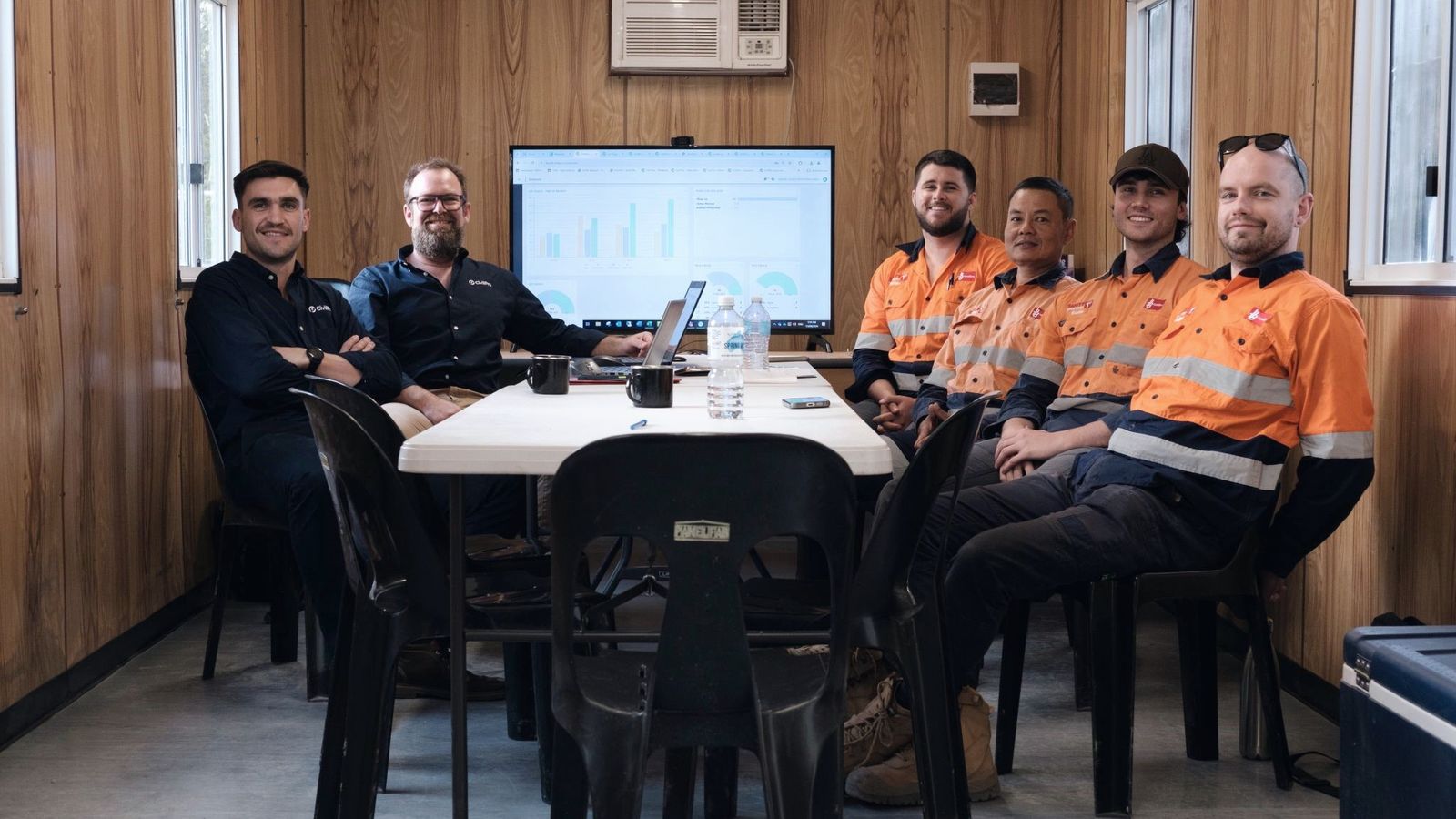
"Lachie has been instrumental with helping CivilPro become a trusted QA software, actively supporting the development of quality culture, process improvement, and best-practice project delivery across our business"
How training is bought
Included with a subscription
An onboarding session comes with every new subscription. Recorded, with the summary filed the same way as any other session.
By the hour, or as a block
Blocks are held on account and drawn down across the business as you need them, rather than re-quoted each time. They suit teams running several projects or hiring steadily.
On Teams or on site
Most sessions run on Teams, which keeps them short and easy to schedule around site work. On-site days are quoted with travel separately.
Get your team running properly
Tell us the project and who needs to be in the room, and we will send an agenda to mark up.
